Product

/

Ask Prakta

Ask Prakta · your practice assistant

Ask. It prepares.
You approve.

Ask in plain English. Prakta reads the diary, inbox and accounts you allow, then drafts the letter, the chaser or the post. Nothing reaches a patient until a person says yes.

Prepare tomorrow’s clinic

6 briefs ready · 2 results to review

Chaser to AXA drafted

3 claims · waiting for approval

Google post drafted

"What happens at an echo?"

What you can ask

Ask it like you’d ask a brilliant secretary.

"Prepare tomorrow’s clinic"

Briefs for every patient, results flagged, letters you still owe.

"Which invoices are overdue?"

A list by insurer and age, with chasers drafted for you to approve.

"Draft a reply to this GP"

A reply in your style, pulled from the record and the referral.

"Write a post about knee pain"

A Google post or blog draft in plain English, with an image if you want one.

"Who could take Thursday 11:30?"

Waitlist patients who fit, ready to offer the slot.

"Summarise this result"

Key findings in two lines, so you know if it needs you today.

Approvals

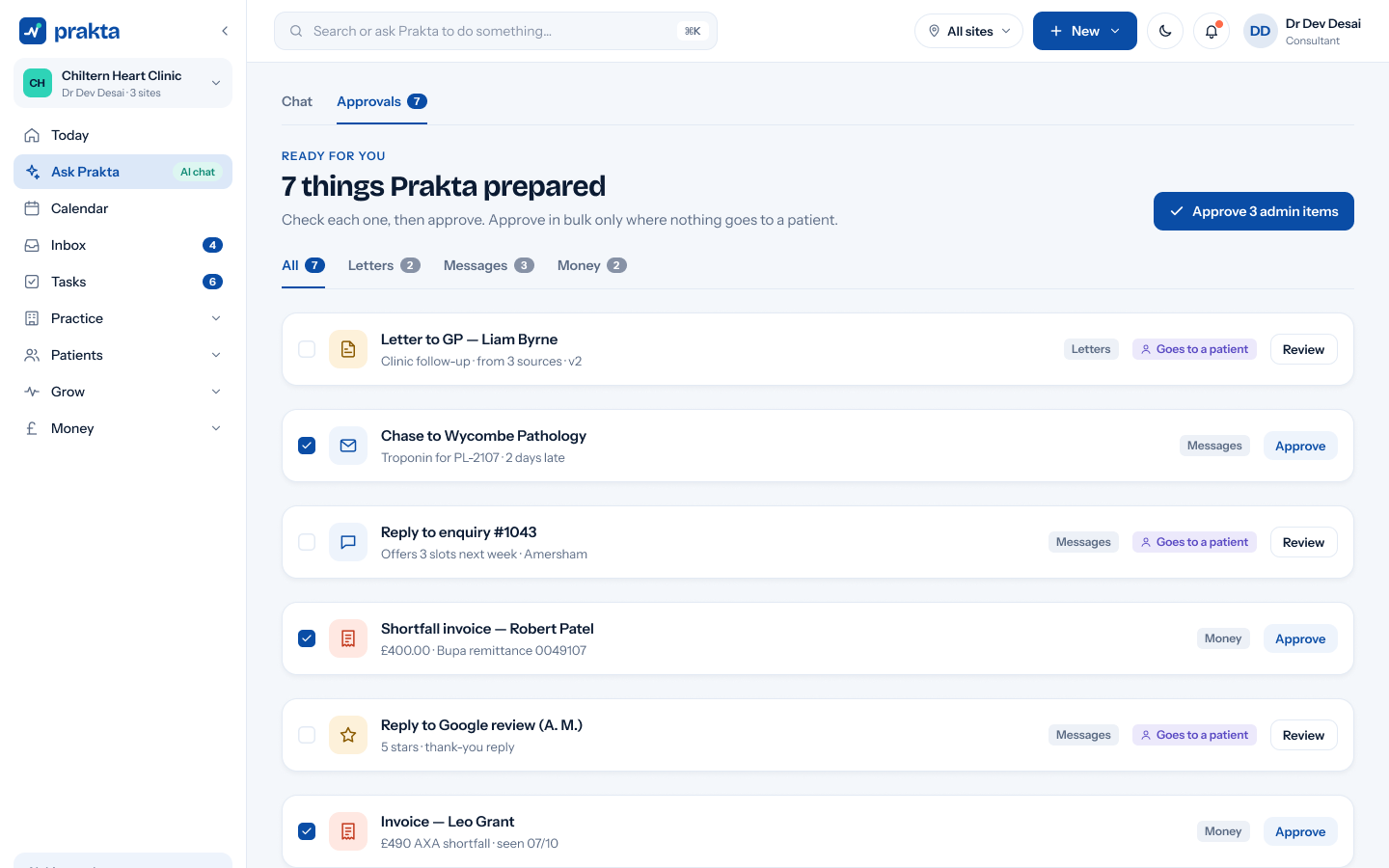
Prakta prepares. A person sends.

Every draft lands in one Approvals queue. Edit it, approve it or bin it. Patient messages never go out on their own.

1

You ask, or a trigger fires

A question in chat, a result arriving, a cancelled slot.

2

Prakta prepares the work

Letter, chaser, post or offer, drafted with the context it’s allowed to see.

3

You approve or edit

One tap in Approvals, on the web or on your phone.

4

It goes, and it’s logged

Who approved, what was sent and when, in the audit trail.

1

You ask, or a trigger fires

A question in chat, a result arriving, a cancelled slot.

2

Prakta prepares the work

Letter, chaser, post or offer, drafted with the context it’s allowed to see.

3

You approve or edit

One tap in Approvals, on the web or on your phone.

4

It goes, and it’s logged

Who approved, what was sent and when, in the audit trail.

Focus mode

A full-screen space to think it through.

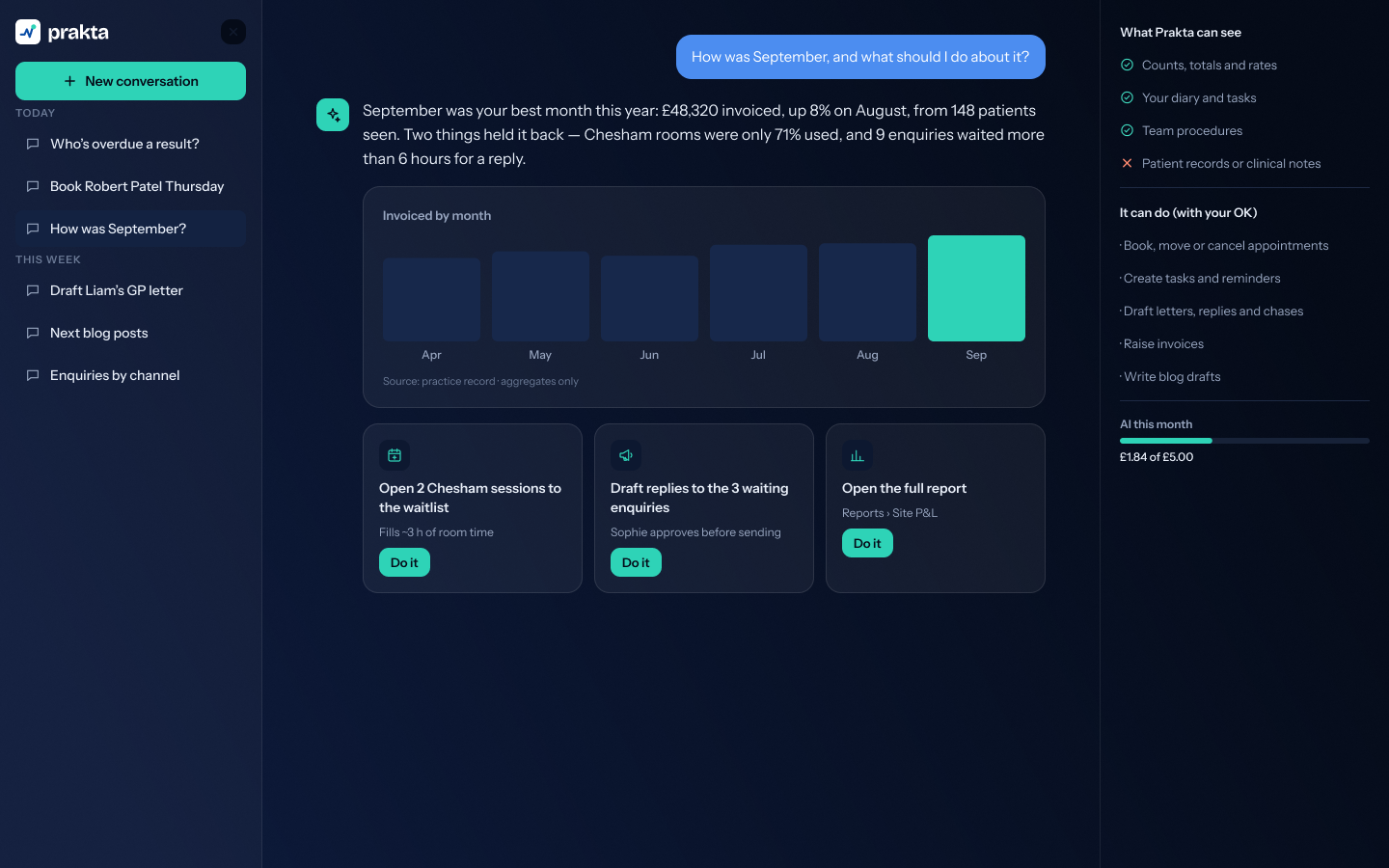
Open Ask Prakta full screen for longer work: planning a clinic, going through a month of claims or drafting a run of posts.

Conversations kept on the left

"Do it" cards that open the right screen

Close it and you’re back where you were

Boundaries

Clear about what it can and can’t do.

Can see, with your permission

Your diary and appointment types

The practice inbox and tasks

Invoices, claims and payments

Your Google profile, rankings and posts

Letters and templates you have written

Never does

Send anything to a patient without a person’s approval

Chat with patients on your behalf

Change a clinical record on its own

Filter which patients are asked for reviews

Share your data with other practices

AI this month

72% used

You’ve used most of this month’s AI allowance. It resets on 01/11/2026.

Below 70%: nothing shown

No meter, no nagging

AI allowance

An allowance that stays out of your way.

Every plan includes AI usage. You won’t see a meter until you’ve used 70% of the month, then a ring appears in the sidebar so you can top up in time.

Hidden below 70%, shown from 70%

Two image options per generation, so it goes further

Top up in two taps, or wait for next month

Questions

Questions, answered.

What can Ask Prakta see?

Only what your role allows, inside your own practice account. It prepares work for a person to approve and never sends anything to a patient on its own. Data-processing details are on the Security page.

Answer to follow: awaiting client copy.

Answer to follow: awaiting client copy.

Answer to follow: awaiting client copy.

See it with your own
diary and letters.

A 30-minute demo, set up around your specialty and your clinics.