





Once a patient is marked as seen, Prakta drafts the invoice. If they’re insured, you can send the claim to Healthcode in a few clicks.
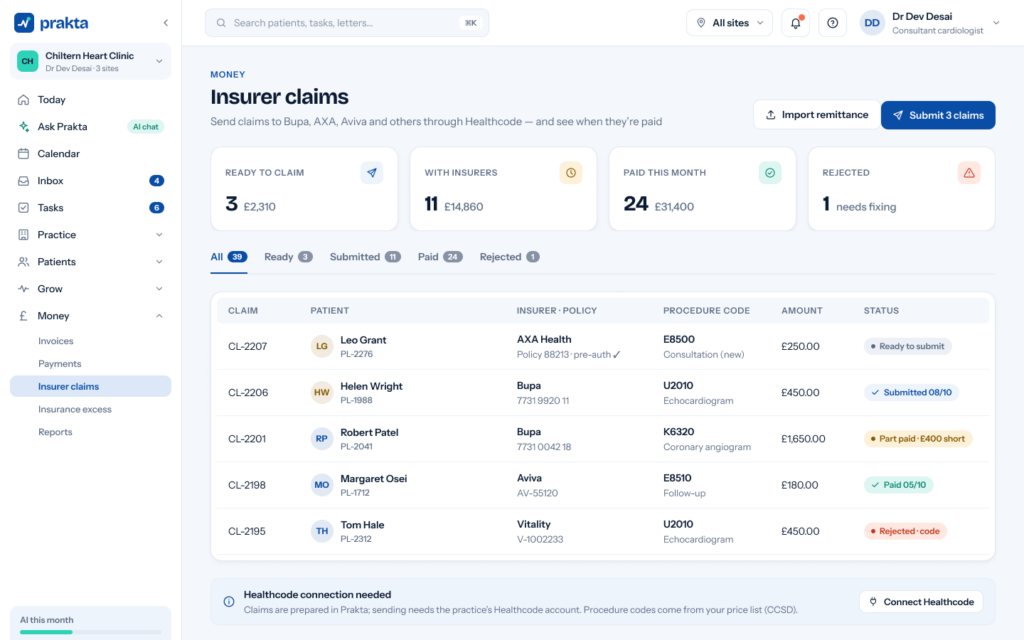
- Open Money › Insurer claimsYou’ll see every invoice ready to claim, grouped by insurer.
- Tick the claims to sendCheck the insurer, membership number and procedure code on each one.
- Press “Send to Healthcode”Claims move to Sent. Prakta matches the remittance when it arrives.
Tip: ask Prakta “Which claims are ready to send?” and it will line them up for you to approve.


